
If your team's Zoom recordings already back up automatically, there's a good chance it's because a few people signed up for RecordFlow on their own — each one connecting their own Google Drive individually. That's exactly how RecordFlow started: one person signs in with Zoom, connects Drive, and their own recordings archive automatically from then on. It works well for that one person. For a team, though, it isn't really one archive — it's as many separate ones as you have installs, and as the person who runs your team's Zoom account, you have no way to see who's actually covered.
What's actually happening
RecordFlow's individual app was built for exactly that: one person archiving their own recordings. For a long time it was also the only way in — the admin-managed app that lets one admin install once and cover the whole team is newer. If your team adopted RecordFlow before that existed, or before anyone noticed it had shipped, each member who wanted a backup had to sign up individually and connect their own Google Drive — and that's likely the setup you're still running today.
The individual app never gave you, as the Zoom account admin, any visibility into who was actually covered. Each person's archive lives in a Drive only they control. Zoom's own account-wide recording view — Account Management → Recording and Transcript Management — shows you every cloud recording still sitting in Zoom's own storage, searchable by host, but it says nothing about which of those hosts already has a personal RecordFlow backup running and which doesn't. That gap doesn't live in Zoom's admin tools; it lives in the fact that each install is a separate, personal connection you were never part of.
The result compounds quietly. A new hire never gets around to signing up. Someone leaves the team, and their personal archive — tied to their personal Google account — goes with them, whether or not you knew it existed. Six months in, "our recordings are backed up" is true for some fraction of your team, and you can't say which fraction without asking everyone individually.
Signs your team has fragmented installs
- You can name who definitely signed up for RecordFlow, but not who didn't — there's no roster, just word of mouth.
- Recordings are scattered across as many personal Google Drives as you have team members, instead of one place you can point a new hire to.
- Someone leaving the team is also, quietly, an archive leaving the team — nobody transferred ownership because nobody knew there was anything to transfer.
- You've fielded some version of "do I have to sign up for this myself?" more than once.
How to fix it
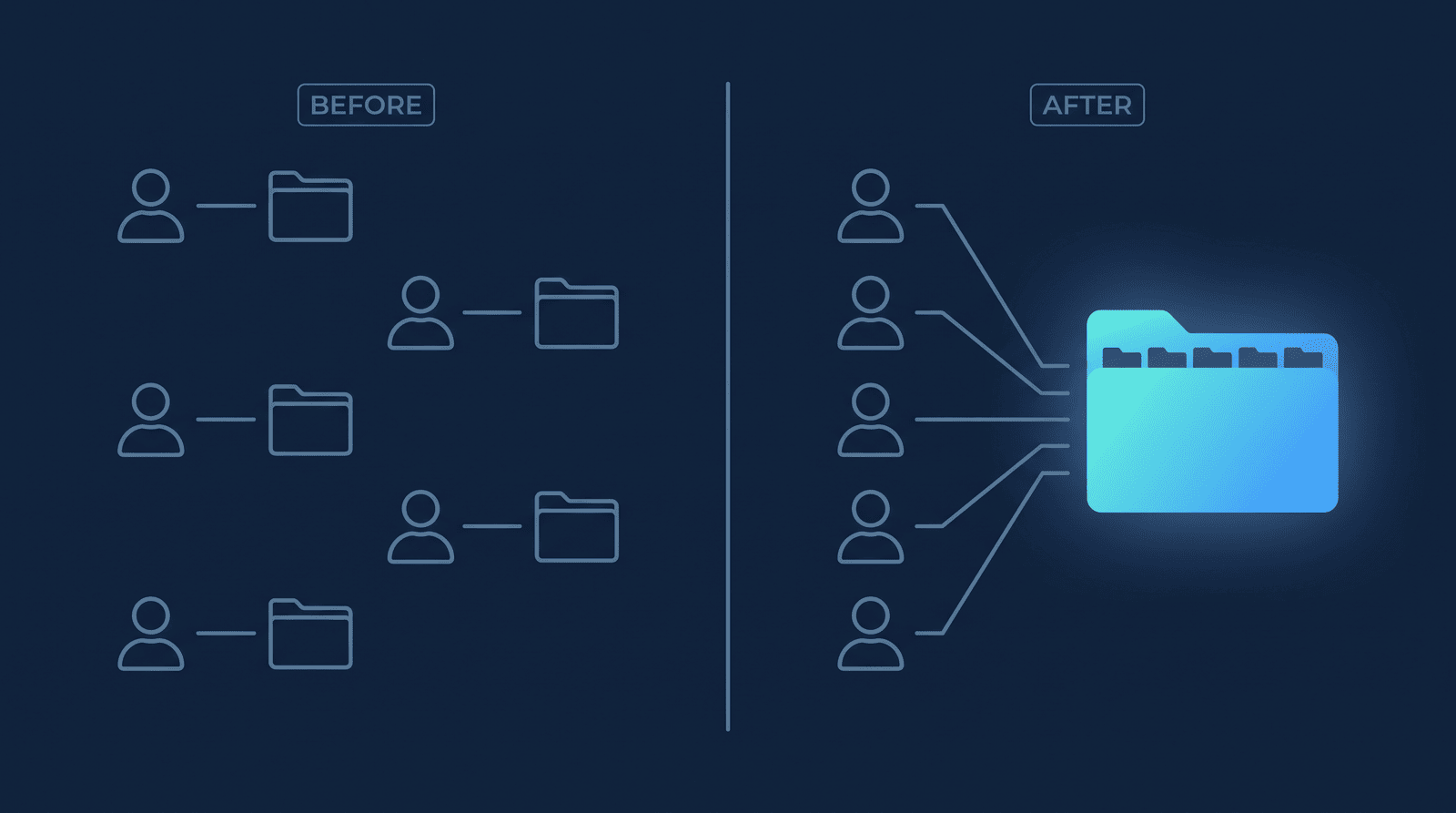
- Install RecordFlow's admin-managed app once, as the Zoom account admin. That replaces asking each member to sign up individually. Zoom shows you exactly what it's granting on install: read-only access to see who's on the account and to read recordings — no write, no delete.
- Connect one Google Drive folder. Use your own, or a Shared Drive the organization owns if you want the archive to outlast any single person's Google account. This becomes the archive root for the whole team.
- Enroll members from the admin dashboard. New members are enrolled automatically by default, so once Drive is connected, coverage extends to your whole roster without a single member having to do anything. Notice what's missing here: you never have to connect any individual member's Google Drive by hand — the toggle does it for the whole roster at once. Prefer to add people yourself instead? Turn off Automatically enable new members and enroll individually.
- Confirm the first few recordings land. Check each member's sub-folder under the archive root, then stop thinking about it — new recordings file themselves the same way going forward.
- Retire existing individual installs. Switching to the admin app doesn't reach back and merge recordings anyone already archived through their personal install — those stay exactly where they are. But once the admin-managed archive is confirmed covering someone, there's no reason for their individual install to keep running in parallel. To remove it, have each member go to Zoom Marketplace → Manage → Added Apps, find RecordFlow - backup recordings to Google storage, and remove it — that disconnects their personal Google Drive without touching the admin-managed archive you just set up.
Enrollment is admin-controlled and reversible either way — a member's recordings only start flowing to your Drive once the admin has them switched on, and any member can be switched off without touching anyone else's archive.
What to check if coverage still looks patchy
One install replaces however many individual ones your team has accumulated, with a single dashboard that shows every member's enrollment status and last-archived time in one place — a sub-folder per member, so nobody's recordings get mixed together. If storage pressure is what pushed the team toward backups in the first place, account-wide storage management covers the other half of that problem.
Stop asking everyone to sign up individually.
Install the admin app once, and your team's Zoom recordings land in one archive you control — no per-member setup, no guessing who's covered. Free during beta.